





Offshore / Onsite
Hire Dedicated Team
Access a dedicated team of UI/UX designers and researchers, on-site or remote, who work alongside your engineers every week.
Get StartedDesign system tokens, components and every state, built against your real codebase rather than an idealised version of it — with a contribution model so it stays true instead of drifting back into one-off screens within six months.
Our Clients

















Almost every company we meet has attempted this once. The file exists, it is beautiful, and the product has forty-one shades of grey in it anyway. The failure is never the components — it is everything around them.
Built as an ideal library, then found not to match what the codebase can actually render without a rewrite.
Audit the live product first. The system describes what your components can become, not what they should have been.
Figma says one radius, the code says another, and after three months nobody knows which is correct.
One token file generates both. A change is a pull request, not a message asking someone to update the other side.
A designer needs a variant that does not exist, has no route to add one, and builds it locally instead. Multiply by every sprint.
A documented contribution path with a named owner, so extending the system is easier than working around it.
Every component has a resting state and nothing else, so loading, error and disabled get invented per screen by whoever needs them.
Every state shipped with the component, in both Figma and Storybook, so there is nothing left to improvise.
The component library is the visible part. The other five are what stop it becoming a museum piece by the second quarter.
Colour, type, space, radius and elevation as a three-tier structure — primitive, semantic, component — so a rebrand is a token change rather than a redraw.
Every component with every state and variant, built in Figma with variables and in code as the same contract, not two interpretations of one sketch.
Tokens exported to your stack automatically, so a design change reaches production without anyone retyping a hex value.
When to use each component, when not to, and what it does at every breakpoint. Written short, kept beside the component rather than in a wiki.
Who can add, who reviews, how a variant gets promoted from one team to everyone. This is what decides whether the system is alive in a year.
Which screens migrate first, how the old and new coexist, and how you measure how much of the product is actually on the system.
Nobody wants a design system. They want the things one gives them, usually after the absence has become expensive.
Teams shipping in parallel have each solved the same component differently, and the product now looks like three products.
Changing colour and type across an unsystematised product is a manual sweep of hundreds of files. With tokens it is an afternoon.
Nothing is reusable, so each feature starts from scratch. The velocity cost is invisible until someone measures it.
Contrast and focus states are decided per screen. Fixing it once at component level is the only version that holds.
Retrofitting a second theme without semantic tokens means touching every component by hand.
Half of every review is spacing and colour corrections that a system would have made impossible to get wrong.
Auditing an existing product is the least enjoyable and most mechanical part of this work: every hex value, every spacing decision, every button variant, across hundreds of files. We automate the counting and the drift detection. What the token scale should be, and which variants deserve to survive, remains a design decision.
Codebase and design files scanned for every colour, size, spacing and radius in use, clustered by similarity. The result is a factual inventory rather than a sample.
Continuous checks on which screens use tokens and which hard-code values, so adoption is a number on a dashboard rather than an assumption.
Prop tables, usage notes and change logs drafted from the component source, then edited by a designer. Documentation debt is why systems stop being trusted.
Clustering finds what exists. Deciding what the scale should be is a judgement about hierarchy and brand, and no model has a defensible opinion about that.
See our AI practiceGenerated findings become a proposal. Every token consolidation is reviewed and applied deliberately, screen by screen.
We scan to understand what exists. No commits, no automated refactors, no changes your team did not review.
A generated prop table is a starting point. Usage guidance and the "when not to" section are written by the person who designed it.
The drift check reports exactly what it measured and how, so a low score starts a conversation rather than an argument.
A system designed in isolation is a proposal your engineers will reject on cost. We build against your codebase from week one and migrate a real screen before declaring anything finished.
Every colour, spacing value, type size and component variant currently in your product, counted rather than sampled. Then an honest recommendation on whether your existing library is worth extending.
Primitive values, semantic aliases and component tokens, agreed with your engineers so the naming survives contact with the codebase. Get this wrong and everything above it inherits the mistake.
Components built in both places from the same token source, with every state and variant. Figma variables and the code implementation are treated as one contract rather than two artefacts.
A live part of your product rebuilt on the system. This is where the gaps appear, and finding them now is far cheaper than finding them across four squads later.
Who owns it, how a team proposes a component, how it gets reviewed and promoted. Plus training for designers and engineers, and an adoption dashboard so drift is visible.
Your framework, your repositories, your Figma organisation. Everything below runs in your accounts so nothing stops working when the engagement does.



Your framework, your repositories, your Figma organisation. Everything below runs in your accounts so nothing stops working when the engagement does.




Your framework, your repositories, your Figma organisation. Everything below runs in your accounts so nothing stops working when the engagement does.







Your framework, your repositories, your Figma organisation. Everything below runs in your accounts so nothing stops working when the engagement does.


Your framework, your repositories, your Figma organisation. Everything below runs in your accounts so nothing stops working when the engagement does.




Case Studies
Selected work for retail, banking, telecom and defence teams, from brand identity and mobile apps to data platforms and AI assistants.
Panda
Reworked search, categories and checkout in Panda’s live app and website, in Arabic and English.
EDGE Group
Brand identity, website and print for a group of 12,000 staff, carried onto the IDEX show floor.
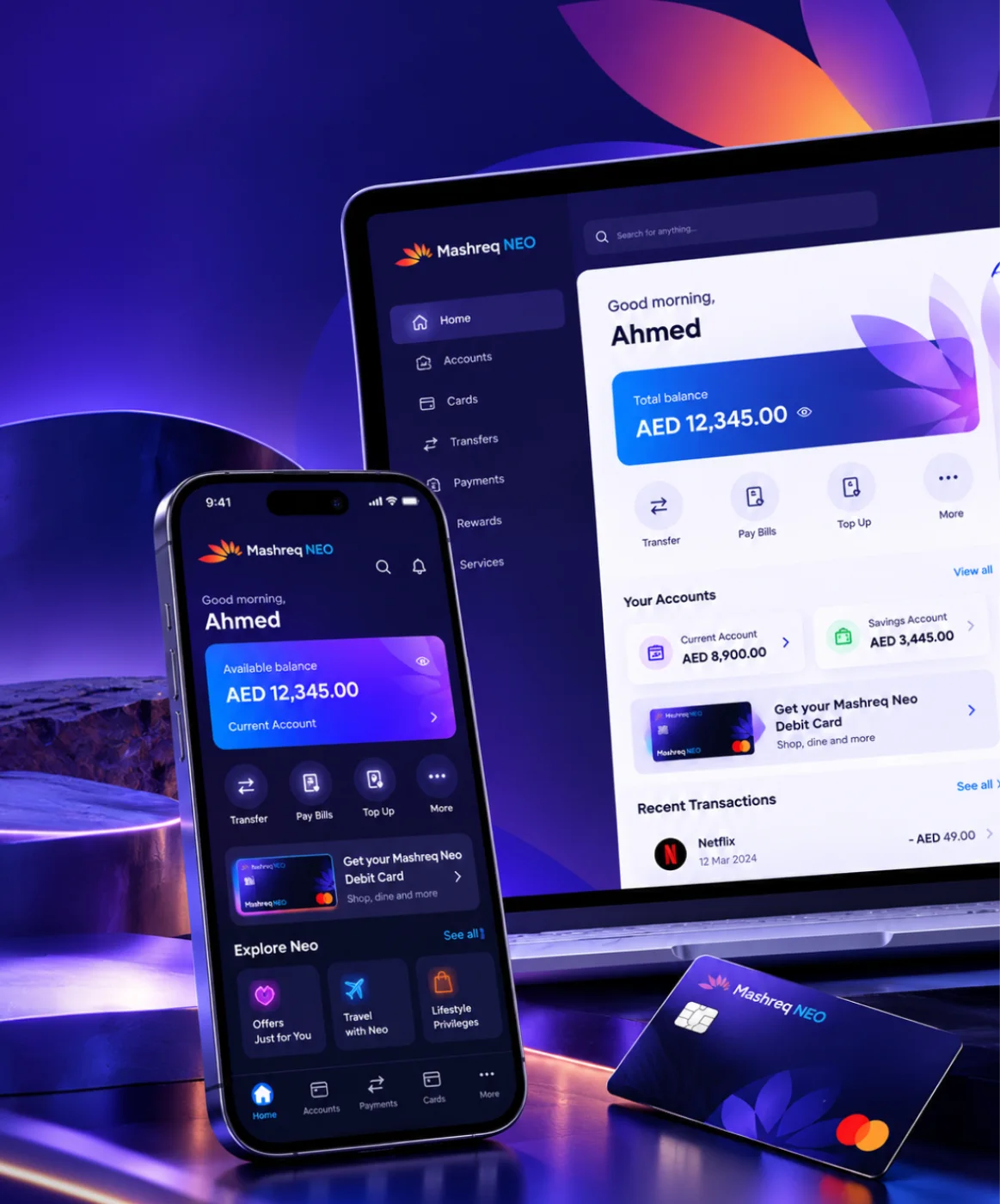
Mashreq NEO
Six performance areas in one index for leadership, plus NEO GPT, a private assistant for bank documents.
Brands For Less
Found where shoppers dropped off, then redesigned sign-up, banners and cart for a retailer with 120+ stores.
Omantel
Incident, SLA and workload reporting in one Power BI suite for Oman’s first telecom operator.




Client Testimonials
Client Success: Panda
We reworked Panda's live app and website, from search to checkout, for shoppers across Saudi Arabia.
"Thanks to UIUX Studio’s work, the client successfully launched their websites. The team maintained a professional approach and scheduled frequent in-person meetings to provide suggestions for improving the project and ensuring its timely delivery."
 Shreya LadCEO, Nutroponics
"The team is well-versed in the UI/UX domain and has designed a fantastic journey to support the site’s growth projection. Communication, timeliness, and quality of work have been very professional."
 Mohammed AbdullahZeaara.com
"The Studio has been an absolute game changer for us. After working on a few independent projects, they are now also helping our marketing team, proving their value to our business and earning praise from executives."
 BrandonProject Manager
"The UIUX Studio team consistently delivers exceptional work with dedication. We’ve completed an amazing app design together, and I’m excited to collaborate with them again in the future."
 Hani Farajvancouverhousefinders.com
"We are really pleased with the work that UIUX Studio team has completed for us in designing a website for a new brand. They completed the designs quickly, took on board changes, and the finished product is very professional."
 AnayaHead of Marketing, Freshminds
"I’ve worked with UIUX Studio team on two projects. They capture the vision and run with it! They create exceptional design! Couldn’t be happier with the quality work and files for my developers."
 Brandon PugmirePresident, Imprint City
 Client Results
Reviewed on Upwork, Trustpilot, Clutch, G2 and GoodFirms





Work With Us
Work with a dedicated design team, a fixed-scope project or hourly support. Every model gives you the same in-house designers and researchers.
Access a dedicated team of UI/UX designers and researchers, on-site or remote, who work alongside your engineers every week.
Get StartedGet clear, upfront pricing for a defined design project, such as product discovery, a mobile app design or a design system.
Get StartedGet design help by the hour, perfect for UX reviews, quick UI fixes, iterative changes or design QA before a release.
Get StartedComponent count is vanity. A system with two hundred components and no adoption is a liability with good documentation.
Share of production screens built from system components rather than one-off code. The single number this work exists to move.
Proportion of colour, spacing and type values coming from tokens versus hard-coded. Tracks whether the system is holding or leaking.
How long a new screen takes now against the pre-system baseline. This is where the investment repays itself.
Components added or extended by your team rather than by us. A system nobody contributes to is already dying.
Contrast, focus and keyboard behaviour at component level, so every screen inherits compliance rather than earning it individually.
Changes caught by automated review before release. Rising numbers usually mean the system is being used more, not less carefully.
From retail apps and banking dashboards to a defence group rebrand, we bring proven domain knowledge to every product we design and build.
Talk to Our Team
Streaming, OTT & content platforms

Fan engagement & live data

EdTech & learning platforms

AdTech & campaign tooling

PropTech & marketplaces

Payments, banking & wealth

Digital health & patient apps

Retail & D2C platforms

Supply chain & fleet ops
B2B products & dashboards
A system is infrastructure for everything else the design team does. These are the services most often scoped either side of it.
The interface language the system encodes — type, colour, spacing and motion decided before they become tokens.
View service ↗Specs, exported tokens and build reviews, so what ships matches what the system defines.
View service ↗The state inventory that tells you which component states actually need to exist.
View service ↗Tables, filters and bulk actions — the components most likely to be rebuilt badly without a system.
View service ↗Forty-five minutes with a designer and an engineer. We will tell you how many values your product actually contains, why the current library is being bypassed, and whether to extend it or start again. No deck, no audit fee.
Audit your systemBook a free consultation with our design, engineering and AI experts. Share your idea and we’ll come back within one business day with clear next steps.
Recognised By


Our Offices

UAE · Headquarters
Office OFF2-127, SMARK 2 Building, Plot No. 33-0, Ras Al Khor Industrial Second, Dubai, UAE

India
B-409, Bestech Business Tower, Sector 66, SAS Nagar, Punjab 160062

Australia
Tapleys Hill Road, Fulham Gardens, SA 5024