
Case study: Cloud Cost and Risk, Seen in One Place
We designed product screens for nOps, a cloud cost management platform for engineering and FinOps teams on AWS and Azure.


The Brief
A Cloud Bill Is a Story, Not a Spreadsheet
Cloud spend moves every day, across accounts, regions and services. So do the changes and risks behind it. nOps brings them into one web app for engineering, FinOps and finance teams, and every screen had to make a crowded account readable.
The product covers five areas. Each one became a chapter of the same story.
The Challenge
How We Helped nOps Turn Cloud Data Into Clear Next Steps
Each area answers one question an engineering or FinOps team asks. Scroll through them and watch the line come down, the way the product is meant to bring spend and risk under control.
-
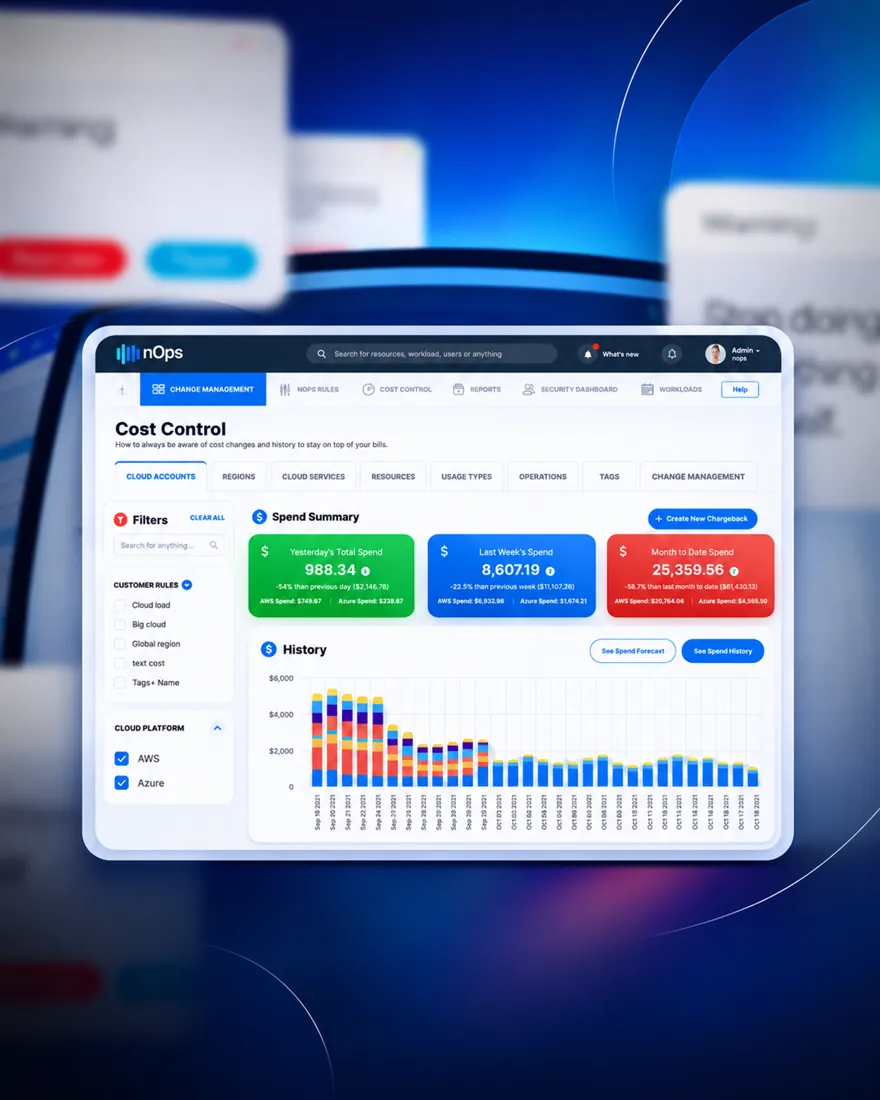
01 · Cost Control
Where Is the Money Going?
A spend summary for yesterday, last week and the month so far, with each figure compared to the period before. Below it, a daily history broken down by service, and tabs to slice spend by account, region, service, resource, usage type, operation or tag.
Chargebacks, a spend forecast and the full history sit one click away.
-

02 · Change Management
What Changed, and When?
Every change in the account lands on one dated timeline, grouped under security, cost, reliability, operations and performance. Each tab shows a running count, so the team sees where the noise is before it opens a single event.
-
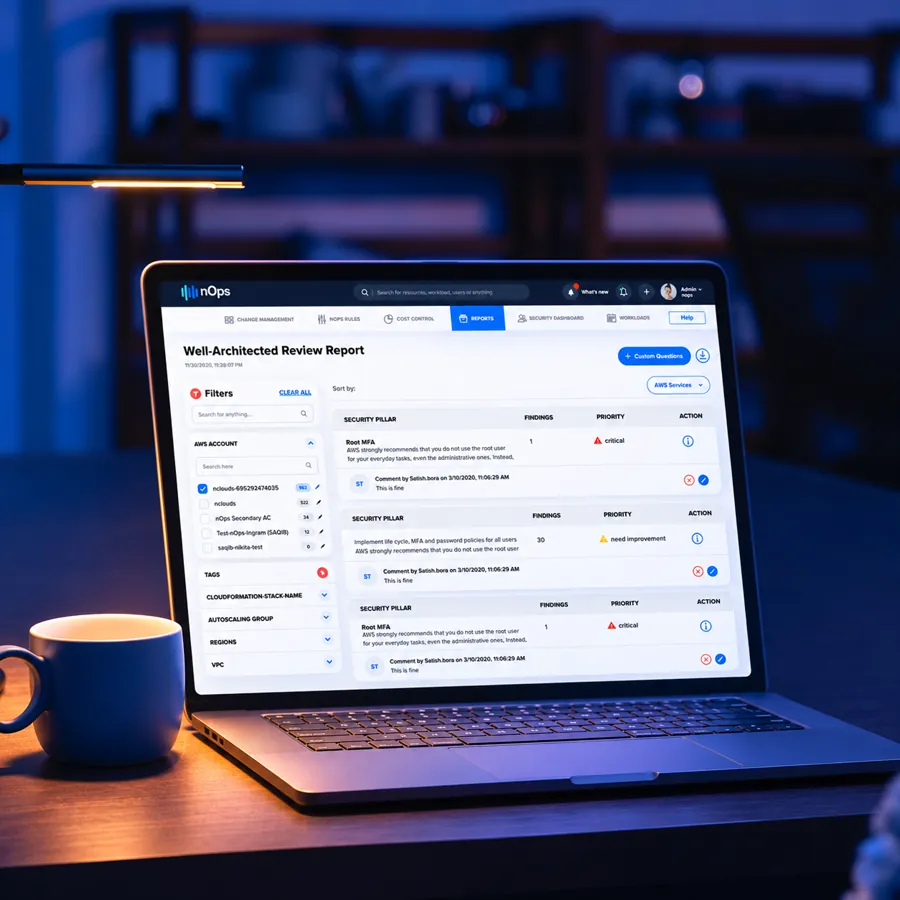
03 · AWS Well-Architected Review
Are We Following Best Practice?
The review report checks the account against the AWS Well-Architected Framework and lists findings pillar by pillar, each with a count, a priority such as critical or needs improvement, and an action. Comments sit under each finding, so the team can record why something is fine as it is.
-
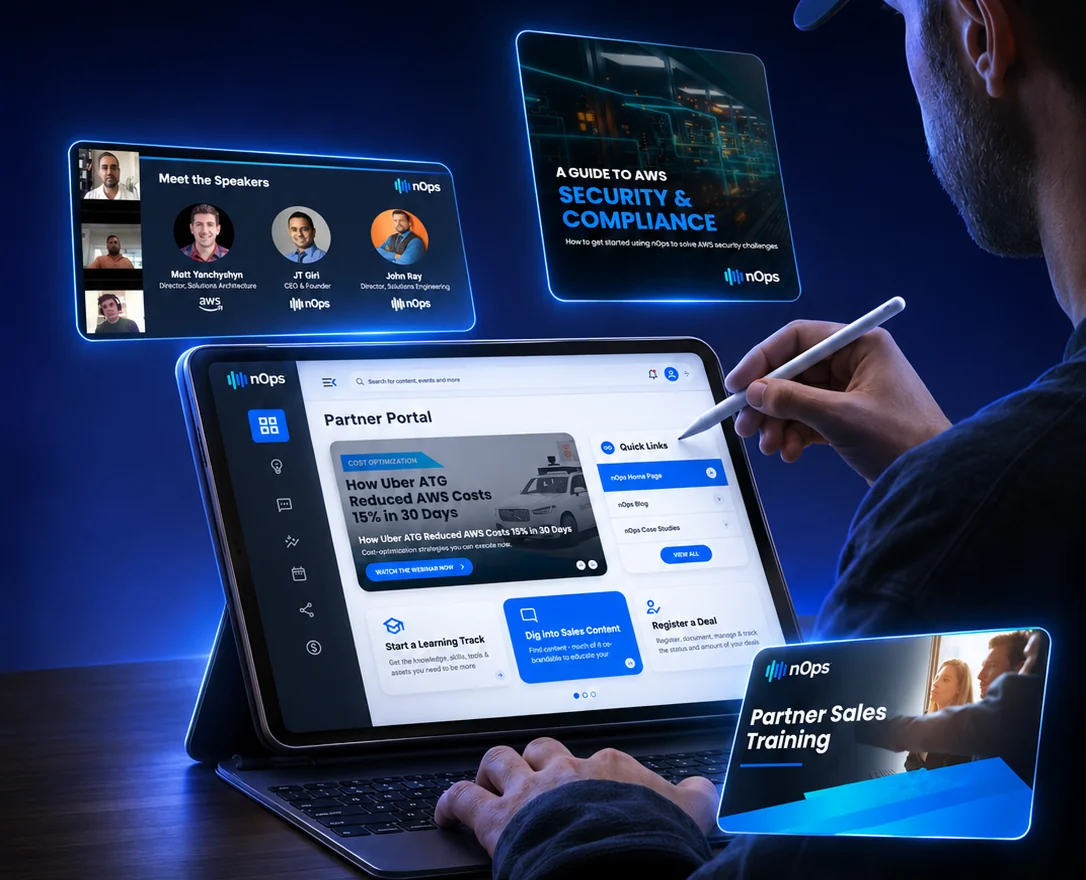
04 · Partner Portal
How Do Partners Sell It?
Partners get their own portal: featured content and webinars at the top, quick links to the blog and case studies, and three clear paths below. Start a learning track, dig into sales content or register a deal.
-
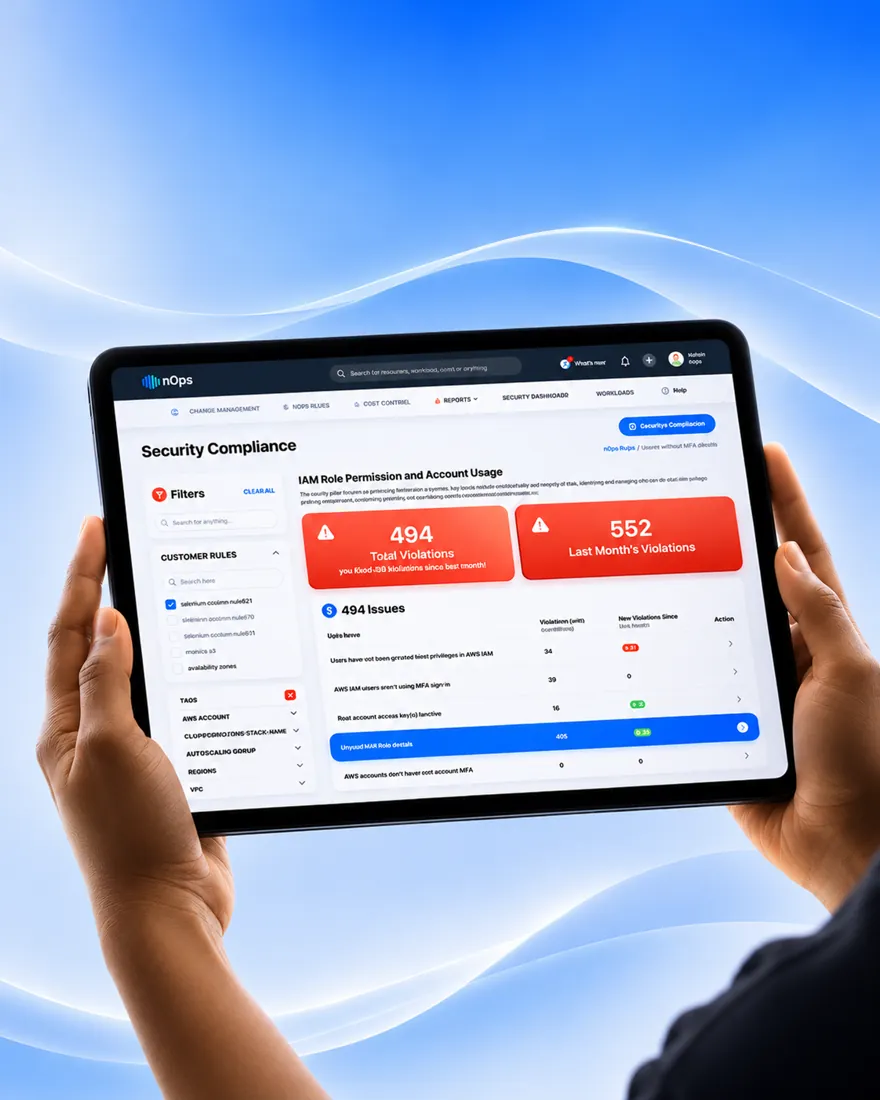
05 · Security
Where Are We Exposed?
Security Compliance compares this month’s violations with last month’s, then lists each issue, such as users without MFA, active root access keys or unused IAM roles, with the number of resources it affects.

Compliance
SOC2 Readiness, Without the Guesswork
The SOC2 readiness dashboard shows total violations against last month, then the config history behind each event: what changed, in which account, when and on which resource.
Results
One Console for Cloud Cost and Risk
What we designed for nOps, area by area.
Cost Control
Spend by account, region, service and tag, with history, forecasts and chargebacks.
Design by UIUX Studio
Tools & Technologies
The Tools Behind nOps
 Figma
 Miro
 Maze
 Storybook
 Jira
 AWS
- Figma
- Miro
- Maze
- Storybook
- Jira
- AWS
- Figma
- Miro
- Maze
- Storybook
- Jira
- AWS
Client Testimonials
In Our Clients’ Own Words

Client Success: Panda
Grocery shopping with fewer steps
We reworked Panda's live app and website, from search to checkout, for shoppers across Saudi Arabia.
- One Shopping Journey
- App + Web
- Equal in Both Languages
- AR + EN
- Live Nationwide
- KSA
"Thanks to UIUX Studio’s work, the client successfully launched their websites. The team maintained a professional approach and scheduled frequent in-person meetings to provide suggestions for improving the project and ensuring its timely delivery."
 Shreya LadCEO, Nutroponics
"The team is well-versed in the UI/UX domain and has designed a fantastic journey to support the site’s growth projection. Communication, timeliness, and quality of work have been very professional."
 Mohammed AbdullahZeaara.com
"The Studio has been an absolute game changer for us. After working on a few independent projects, they are now also helping our marketing team, proving their value to our business and earning praise from executives."
 BrandonProject Manager
"The UIUX Studio team consistently delivers exceptional work with dedication. We’ve completed an amazing app design together, and I’m excited to collaborate with them again in the future."
 Hani Farajvancouverhousefinders.com
"We are really pleased with the work that UIUX Studio team has completed for us in designing a website for a new brand. They completed the designs quickly, took on board changes, and the finished product is very professional."
 AnayaHead of Marketing, Freshminds
"I’ve worked with UIUX Studio team on two projects. They capture the vision and run with it! They create exceptional design! Couldn’t be happier with the quality work and files for my developers."
 Brandon PugmirePresident, Imprint City
 Client Results
Reviewed on Upwork, Trustpilot, Clutch, G2 and GoodFirms





More Work
Explore More Case Studies

Omantel
Five Spreadsheets Into One Dashboard
Incident, SLA and workload reporting in one Power BI suite for Oman’s first telecom operator.

Chargezoom
B2B Payments, Made to Feel Effortless
A refined B2B receivables platform for invoicing, recurring billing and card, ACH and eCheck payments.

Brands For Less
One Shopping App for Ten Countries
Found where shoppers dropped off, then redesigned sign-up, banners and cart for a retailer with 120+ stores.
Have a Project in Mind? Let’s Talk.
Book a free consultation with our design, engineering and AI experts. Share your idea and we’ll come back within one business day with clear next steps.
Recognised By


Our Offices
-

Dubai
UAE · Headquarters
Office OFF2-127, SMARK 2 Building, Plot No. 33-0, Ras Al Khor Industrial Second, Dubai, UAE
-

Mohali
India
B-409, Bestech Business Tower, Sector 66, SAS Nagar, Punjab 160062
-

Adelaide
Australia
Tapleys Hill Road, Fulham Gardens, SA 5024