
Case study: Dating That Doesn’t Stop at the Match
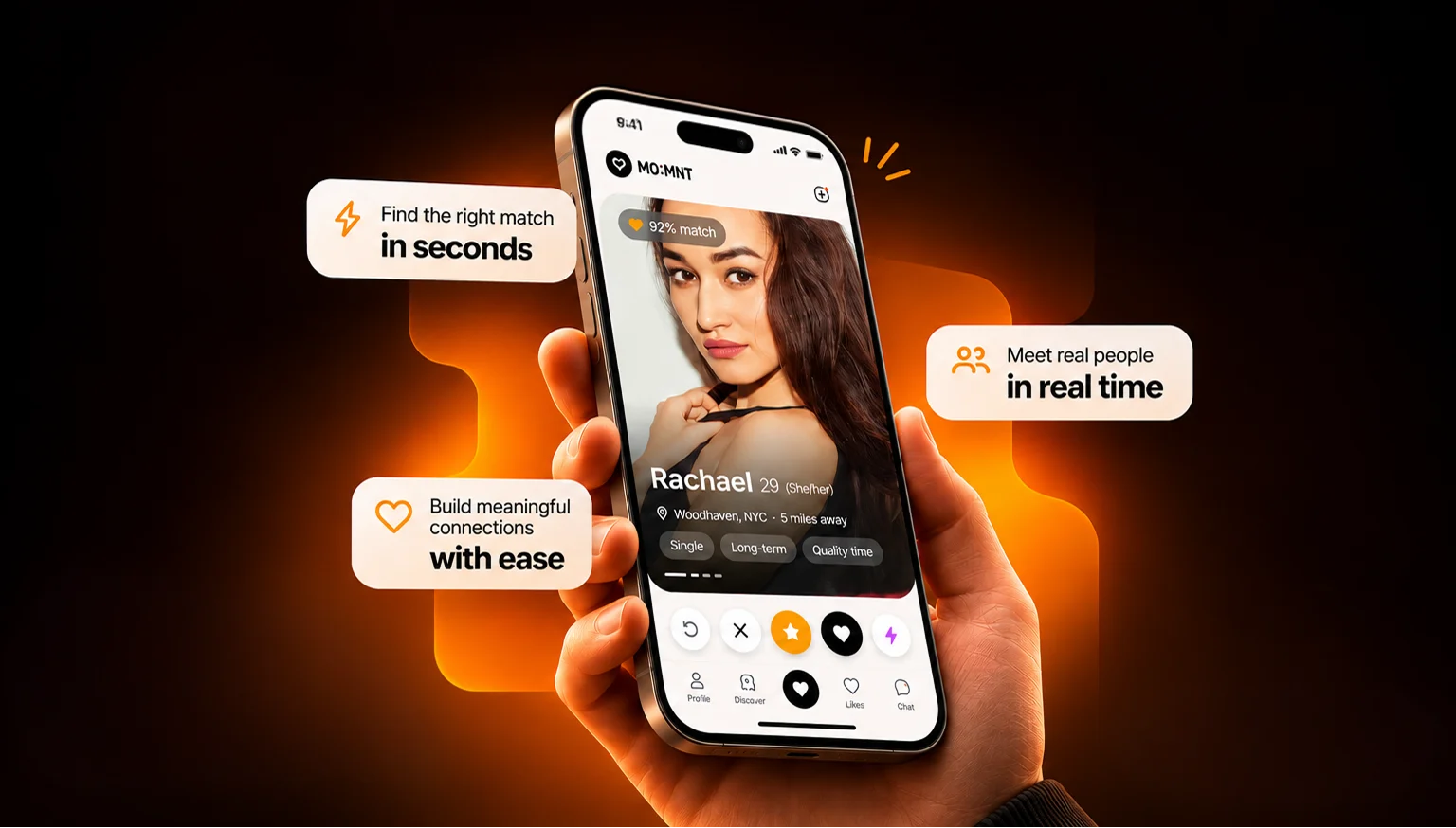
We designed Momnt’s mobile app, from the first swipe to a planned date, and the admin panel its team uses to look after the community.
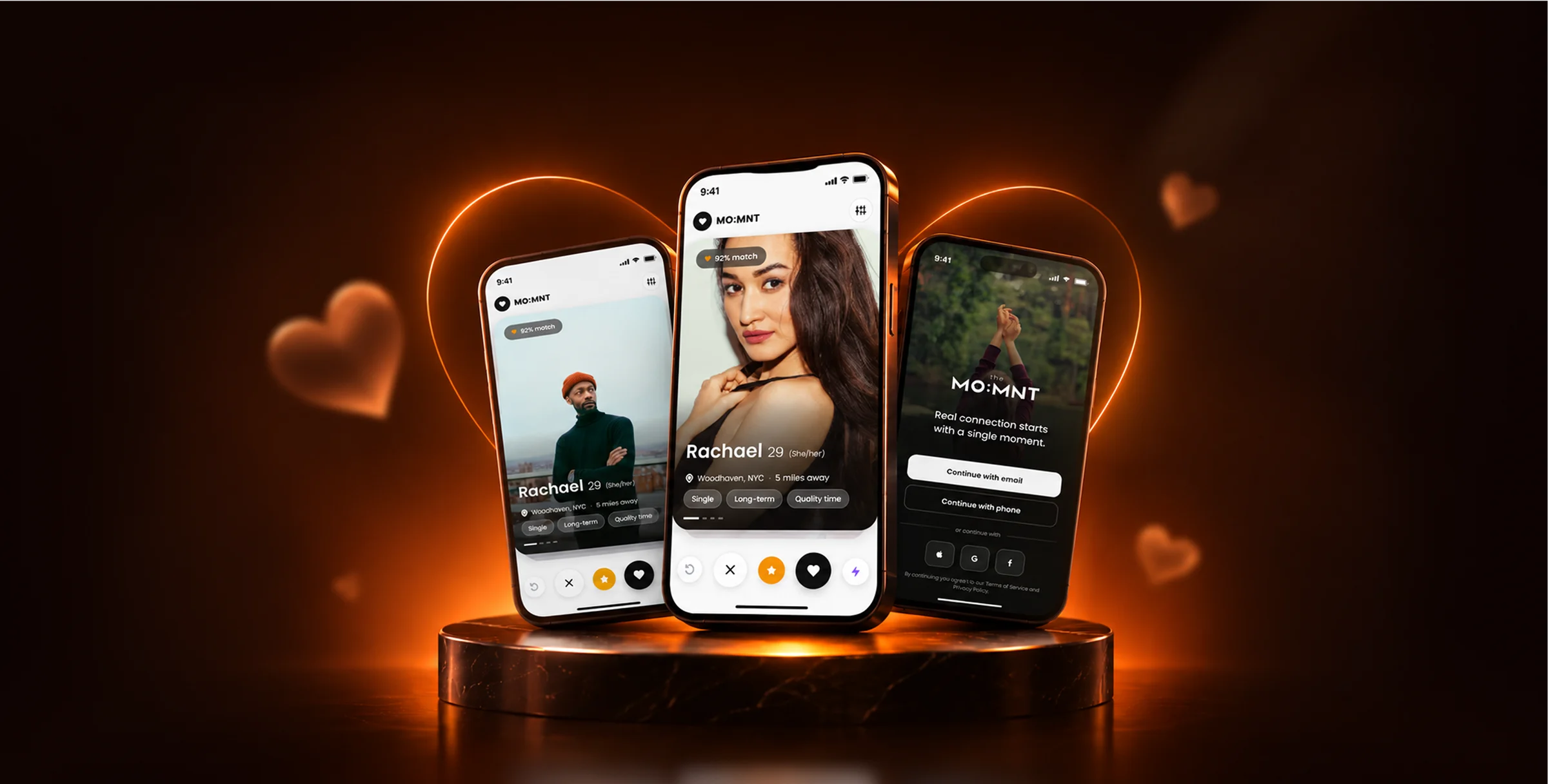
One Product, Two Sides
Momnt wanted an app that takes two people from a match to a real date, and an admin panel that gives its team a clear view of every member. Both had to feel like one brand.

In the Member’s Hand
A mobile app with five tabs: Profile, Discover, View, Likes and Chat. One person on screen at a time, and a simple yes or no.
On the Team’s Desk
A web admin panel that puts each member’s profile, activity, membership and media on one screen, with chat and notes close by.
From Hello to a First Date
The app in the order a member uses it, from signing up to the first date.
-
01Join
Sign Up Like a Conversation
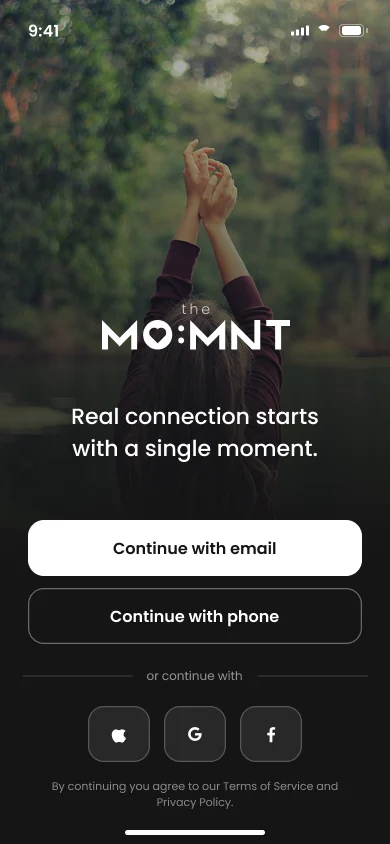
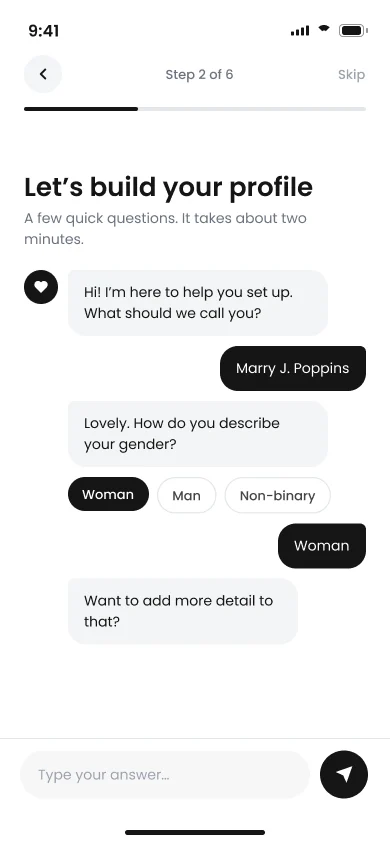
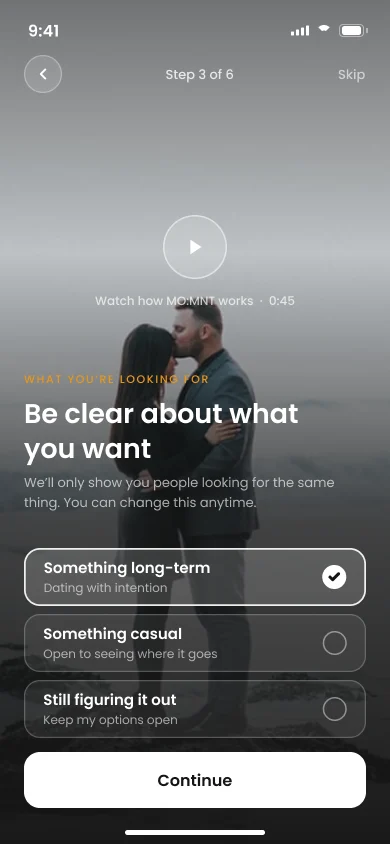
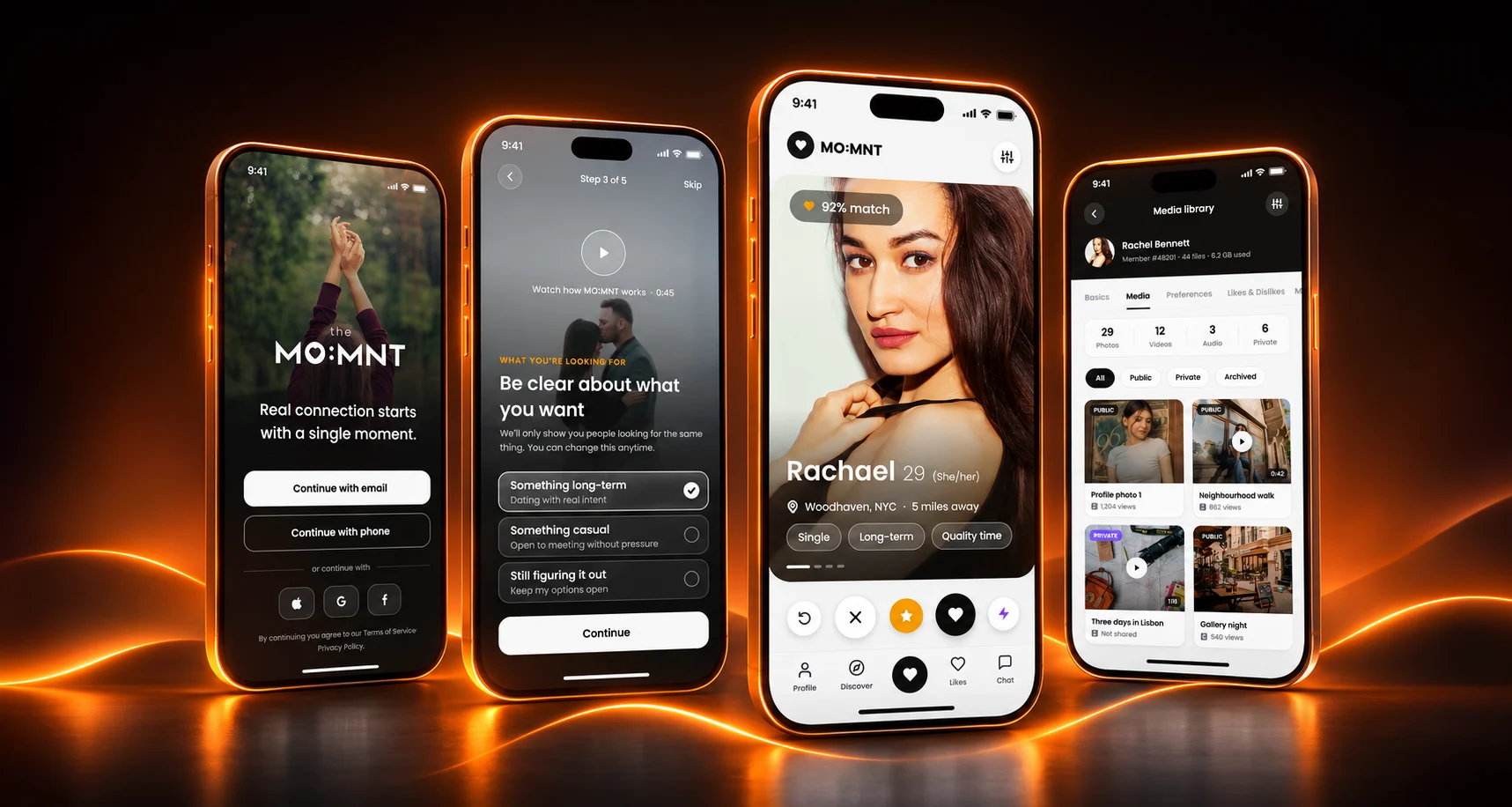
Members join with an email, a phone number, or Facebook, Google or TikTok. Setup reads like a chat: Momnt asks a question, the member taps an answer, and a short welcome video sets the tone.
-
02Preferences
Say What Actually Matters
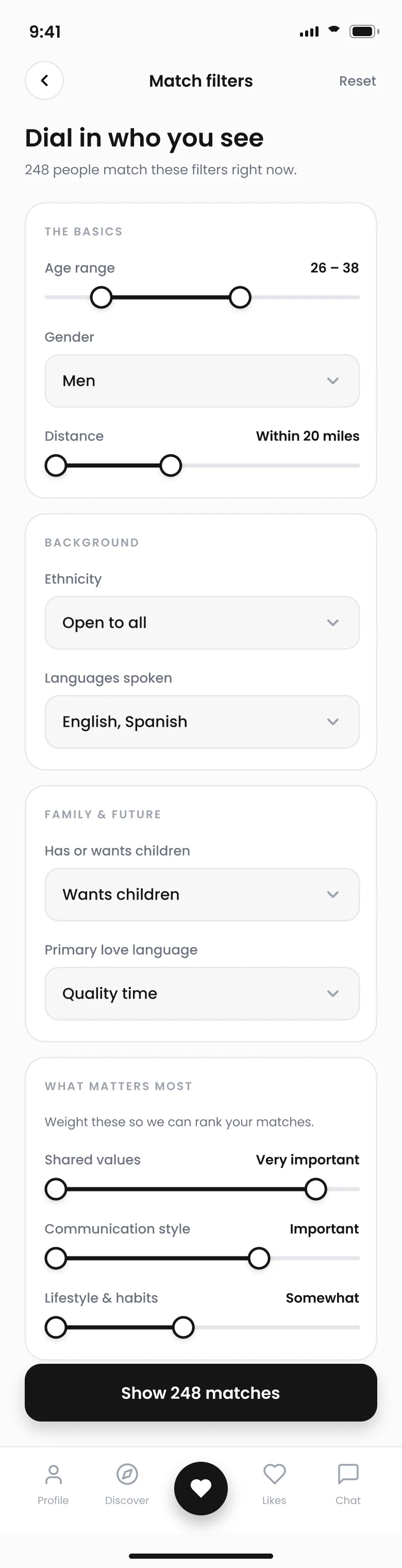
Filters go further than age and distance: language, love language, whether someone has or wants children, and when they’re free. Sliders set how much personality and communication matter.
-
03Discover
One Person at a Time
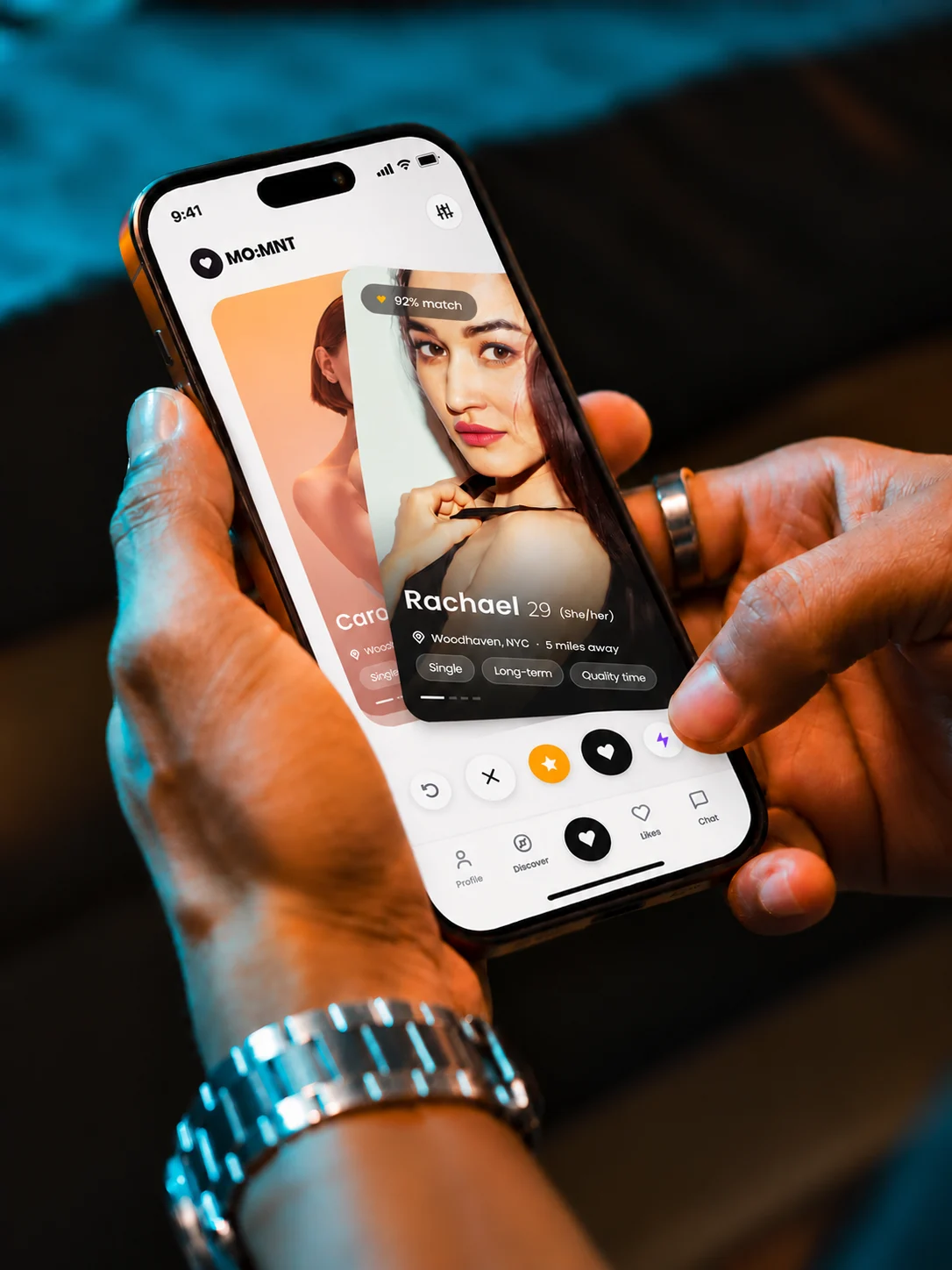
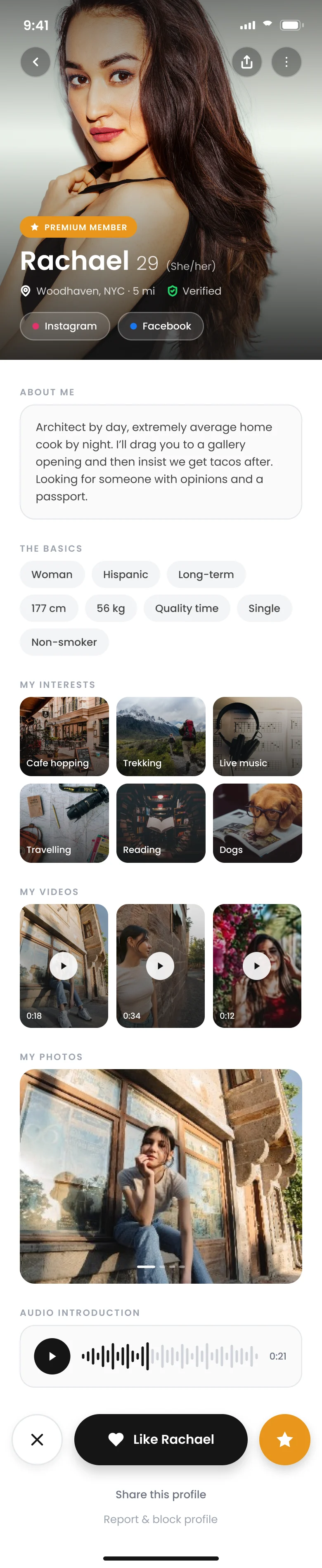
Discover shows a single profile: a name, an age, where they are and how far away. Tap in for the whole person, with interests, videos, photos and a voice introduction, then give a thumbs up or down. Every profile can be reported and blocked.
-

04Match
A Queue of Real Matches
When two people like each other, they join each other’s matches queue, sorted into favourites, active and inactive. From there they can talk, ask their friends and plan a date.
-
05Talk
Chat, Then Call
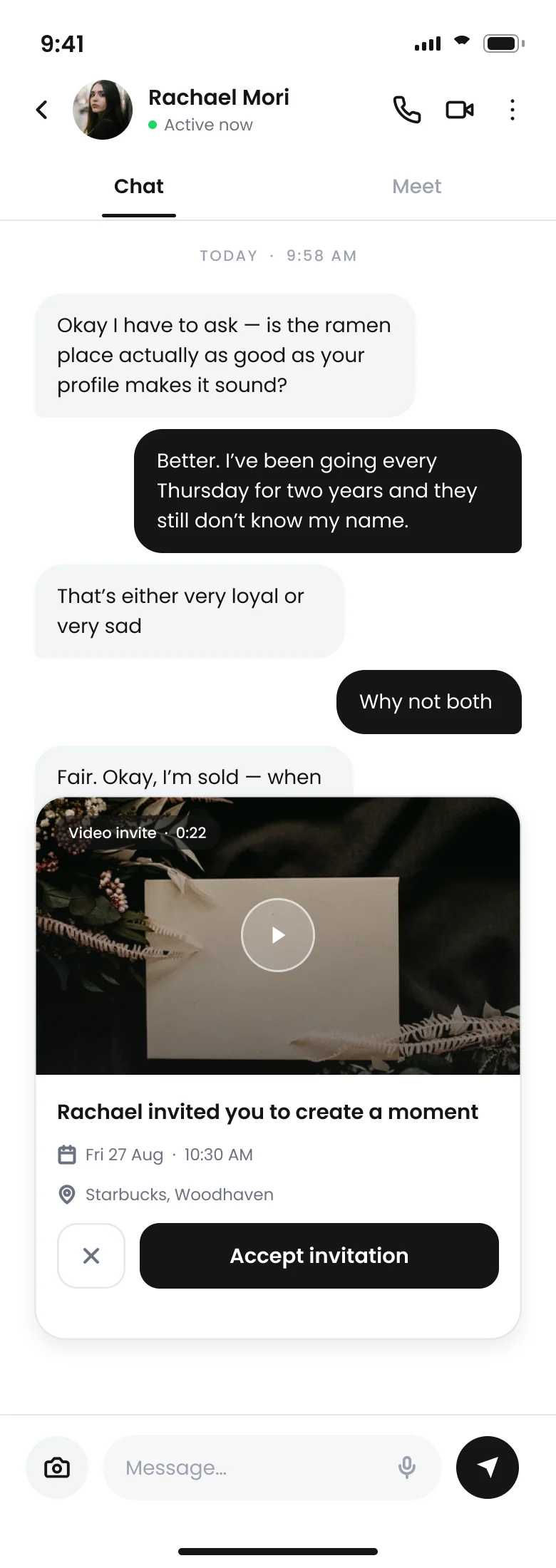
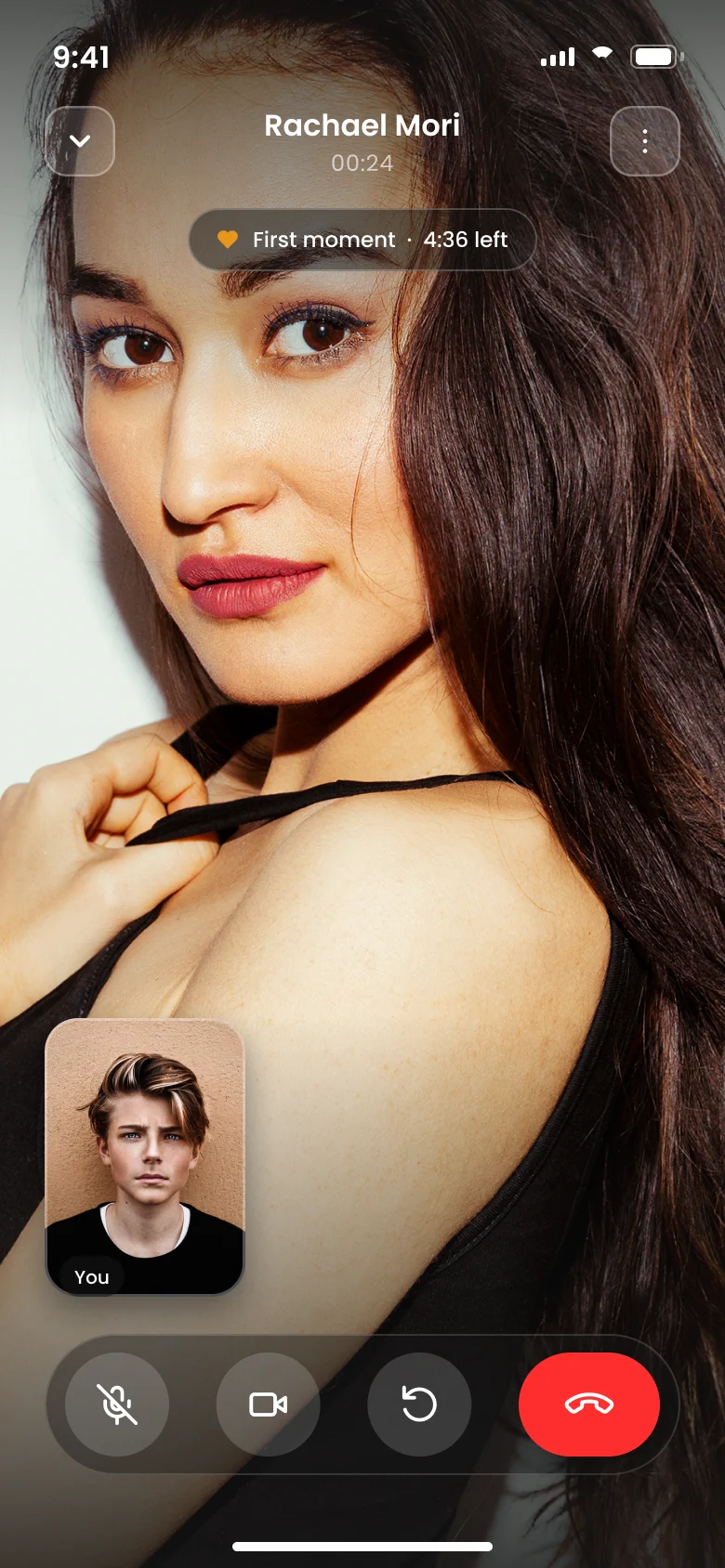
Every conversation has a Chat tab and a Meet tab. A video call is one tap away, with the mic and camera under the member’s control, so two people can see each other before they meet.
-


06Ask
Ask Your Wing Team
Members can share a profile with friends they trust. They get a clean page with the person’s basics, interests, photos and voice, and 48 hours to add their thoughts. Name and location stay hidden.

07Plan a Date
From a Match to a Date in the Diary
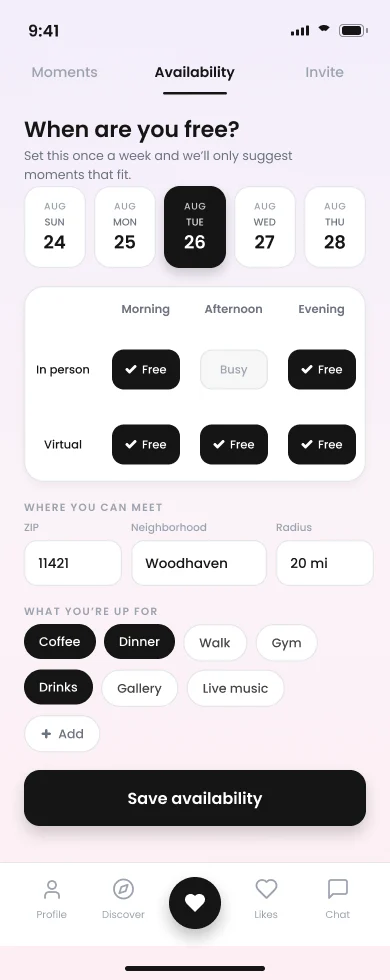
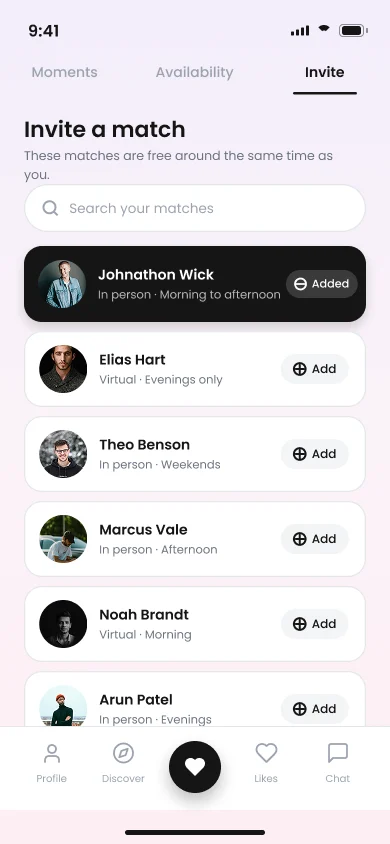
Moments lets two people agree on a day, a time and an activity inside the app, then keeps track of the date once it’s accepted.


01 / 05


08After the Date
Rate the Date, Privately
Afterwards, members say whether they’d go again, rate the other person’s manners out of five hearts and note what they’re looking for, from casual to long-term. Their date never sees it.

Behind Every Match, a Team Keeping It Safe
The admin panel is where Momnt’s team sees each member, follows what happens in the app and steps in when something is reported.
-
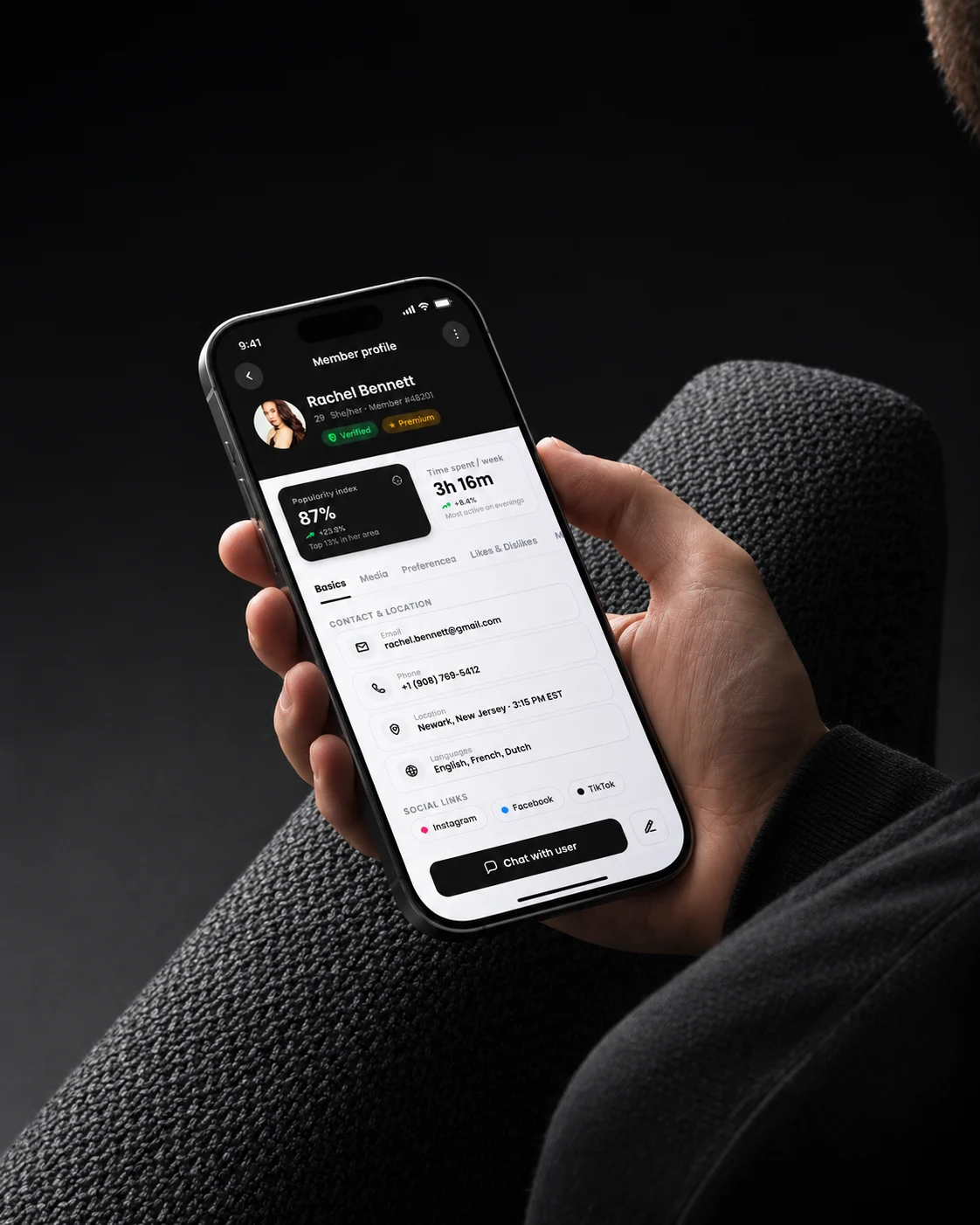
AKnow
Read a Member in Seconds
Contact details, location, languages and social links on the left. Popularity, weekly time on the app and membership billing across the top, each with a one-line summary. Six tabs hold the rest: Basics, Media, Preferences, Likes & Dislikes, Matches and Activity Feed.
-
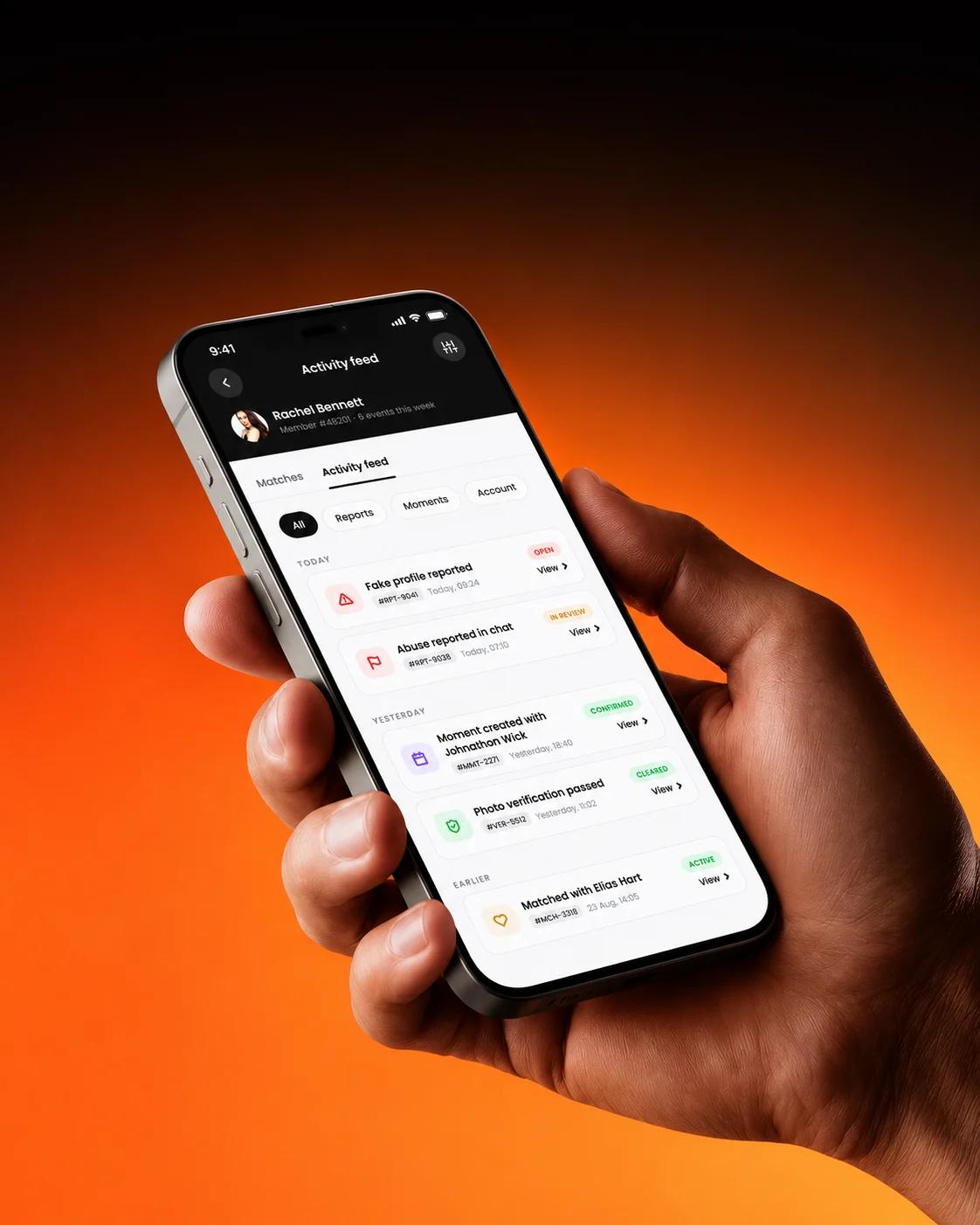
BMonitor
See Every Report as It Happens
The Activity Feed logs what happens around a member: a fake profile reported, abuse reported, a moment created with another member. Each entry has a ticket number, a date and a View link.
-
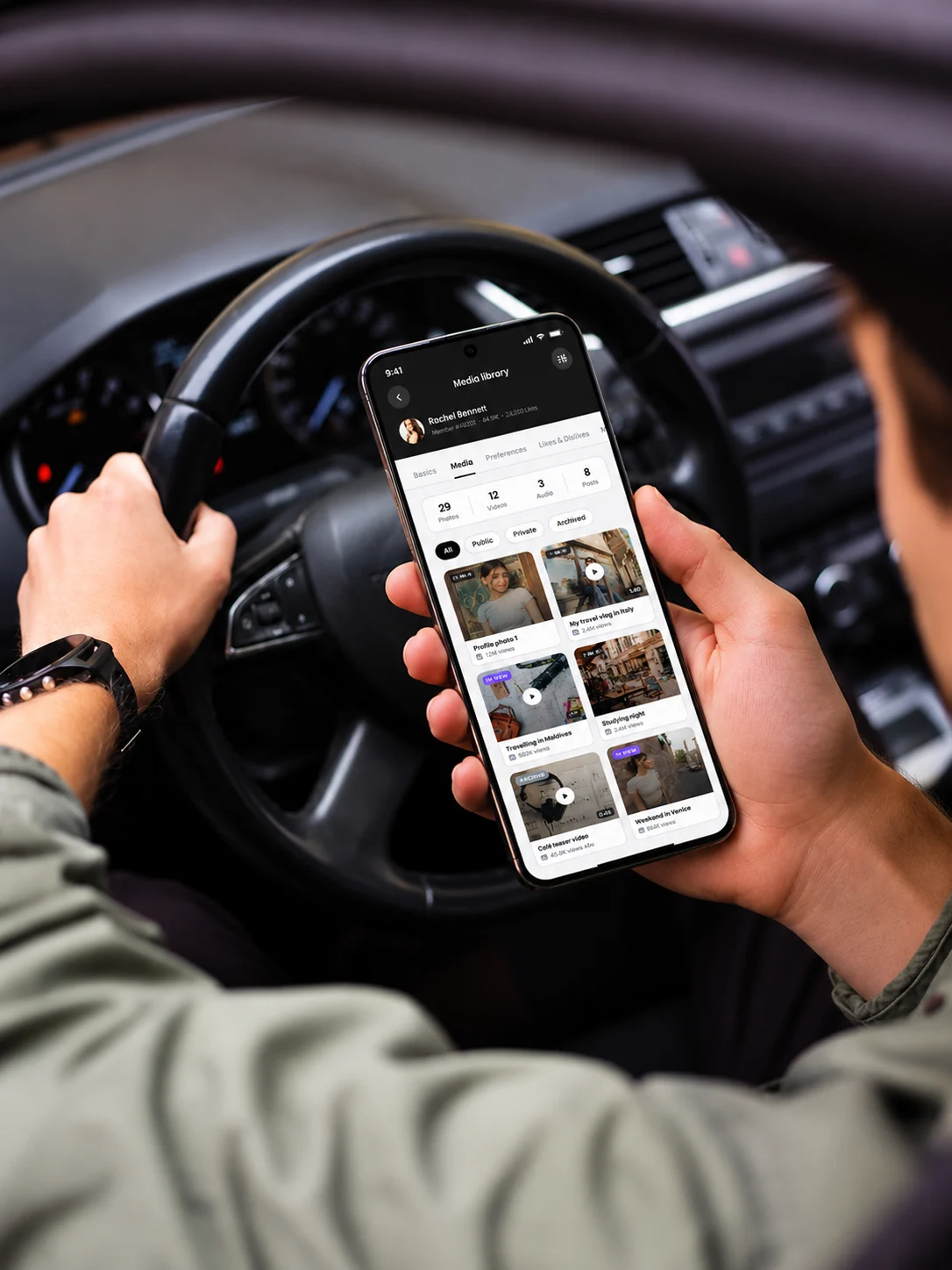
CProtect
Keep Media in Check
Every video and photo a member uploads sits in a grid, labelled private, public or archived. The team can see what each member shares and who can see it.
-
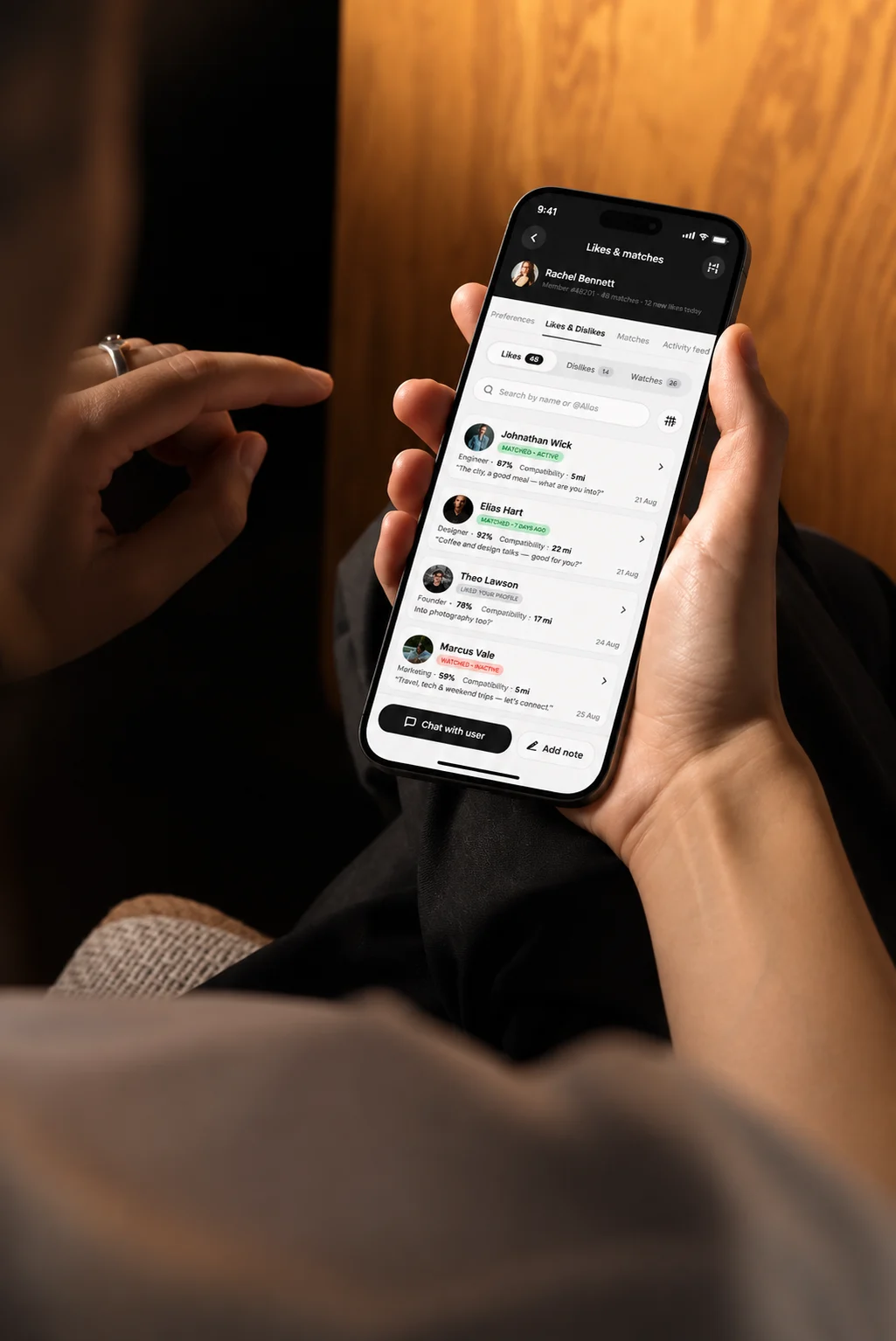
DConnect
Every Like and Match on Record
Likes, dislikes and matches each have their own table: relationship status, popularity, compatibility, the last conversation and the date. Search and filters sit on top, and Chat With User and Add Notes are always one click away.
Ready for the First Date
- For members
A swipe-first app with five tabs: Profile, Discover, View, Likes and Chat.
- For the team
A web admin panel with every member’s profile, activity and membership on one screen.
- For members
Moments, to plan a date with a match: when, where, what, and how it went.
- For the team
Tools to look after the community: a matches table, media labels, chat and notes.
Tools & Technologies
The Tools Behind Momnt
 Figma
 ProtoPie
 Miro
 Maze
 Lottie
 Jira
- Figma
- ProtoPie
- Miro
- Maze
- Lottie
- Jira
- Figma
- ProtoPie
- Miro
- Maze
- Lottie
- Jira
Client Testimonials
In Our Clients’ Own Words

Client Success: Panda
Grocery shopping with fewer steps
We reworked Panda's live app and website, from search to checkout, for shoppers across Saudi Arabia.
- One Shopping Journey
- App + Web
- Equal in Both Languages
- AR + EN
- Live Nationwide
- KSA
"Thanks to UIUX Studio’s work, the client successfully launched their websites. The team maintained a professional approach and scheduled frequent in-person meetings to provide suggestions for improving the project and ensuring its timely delivery."
 Shreya LadCEO, Nutroponics
"The team is well-versed in the UI/UX domain and has designed a fantastic journey to support the site’s growth projection. Communication, timeliness, and quality of work have been very professional."
 Mohammed AbdullahZeaara.com
"The Studio has been an absolute game changer for us. After working on a few independent projects, they are now also helping our marketing team, proving their value to our business and earning praise from executives."
 BrandonProject Manager
"The UIUX Studio team consistently delivers exceptional work with dedication. We’ve completed an amazing app design together, and I’m excited to collaborate with them again in the future."
 Hani Farajvancouverhousefinders.com
"We are really pleased with the work that UIUX Studio team has completed for us in designing a website for a new brand. They completed the designs quickly, took on board changes, and the finished product is very professional."
 AnayaHead of Marketing, Freshminds
"I’ve worked with UIUX Studio team on two projects. They capture the vision and run with it! They create exceptional design! Couldn’t be happier with the quality work and files for my developers."
 Brandon PugmirePresident, Imprint City
 Client Results
Reviewed on Upwork, Trustpilot, Clutch, G2 and GoodFirms




More Work
Explore More Case Studies
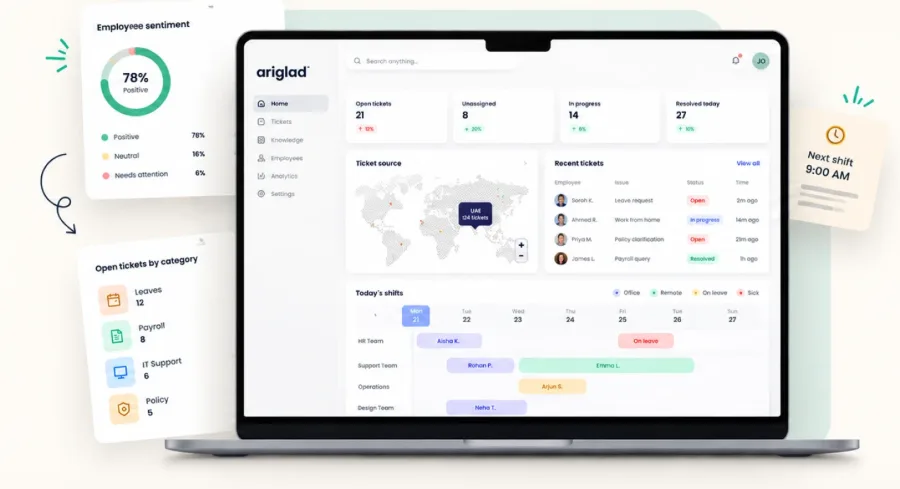
Ariglad
An HR Help Desk Built for Quick Answers
Designed a help desk where every employee question lands in the right place and gets a clear, human reply.

EDGE Group
One Brand for 35+ Defence Companies
Brand identity, website and print for a group of 12,000 staff, carried onto the IDEX show floor.
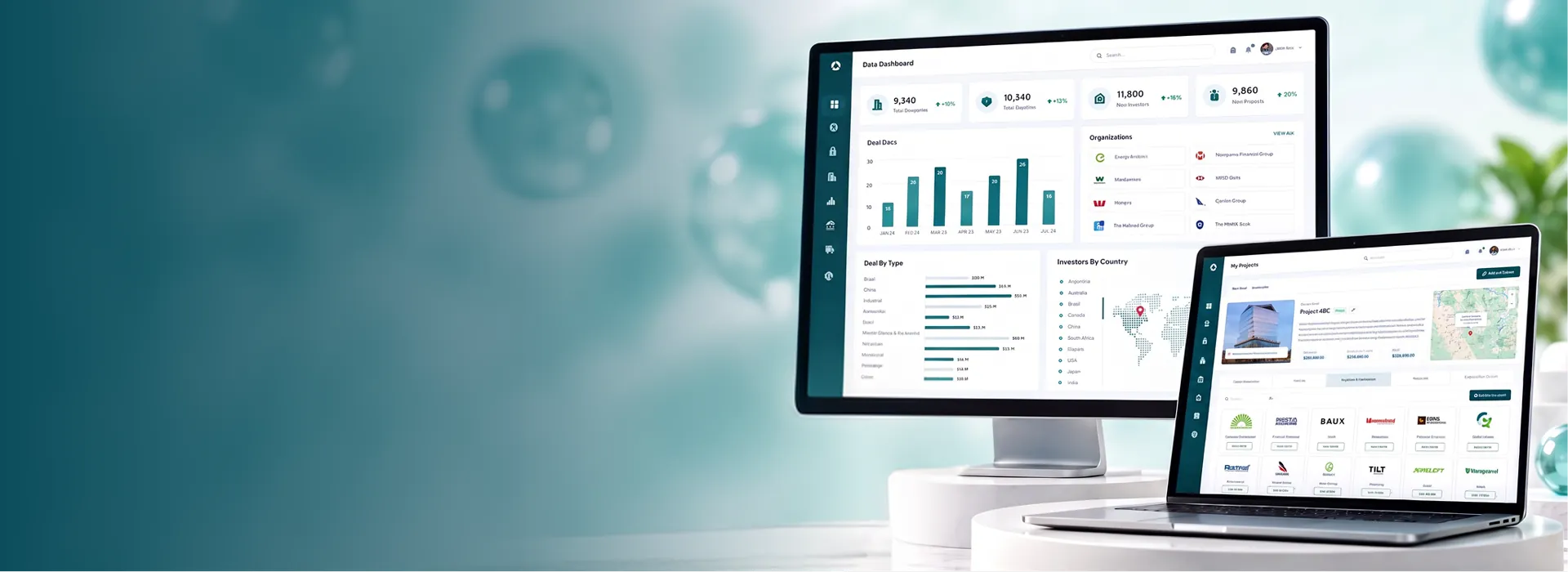
The Impactful Group
Approved Investors, Vetted Corporates, High-Potential Assets
A platform that connects approved investors with vetted corporates and high-potential assets, backed by financial and ESG risk analysis.
Have a Project in Mind? Let’s Talk.
Book a free consultation with our design, engineering and AI experts. Share your idea and we’ll come back within one business day with clear next steps.
Recognised By


Our Offices
-

Dubai
UAE · Headquarters
Office OFF2-127, SMARK 2 Building, Plot No. 33-0, Ras Al Khor Industrial Second, Dubai, UAE
-

Mohali
India
B-409, Bestech Business Tower, Sector 66, SAS Nagar, Punjab 160062
-

Adelaide
Australia
Tapleys Hill Road, Fulham Gardens, SA 5024